Walmart Exchange Policy in 2026
Walmart’s exchange policy lets you swap most items for a different size, color, or model within 90 days of purchase, as of July 2026. Electronics, phones, and Marketplace goods get shorter windows, and a receipt makes the whole thing faster.
This guide breaks down the deadlines, what you need to bring, and which items qualify, so you know what to expect before you get to the service desk.
Most of it runs on the same rules as returns, with a few twists worth knowing. I’ll flag the ones that trip people up.
Highlights
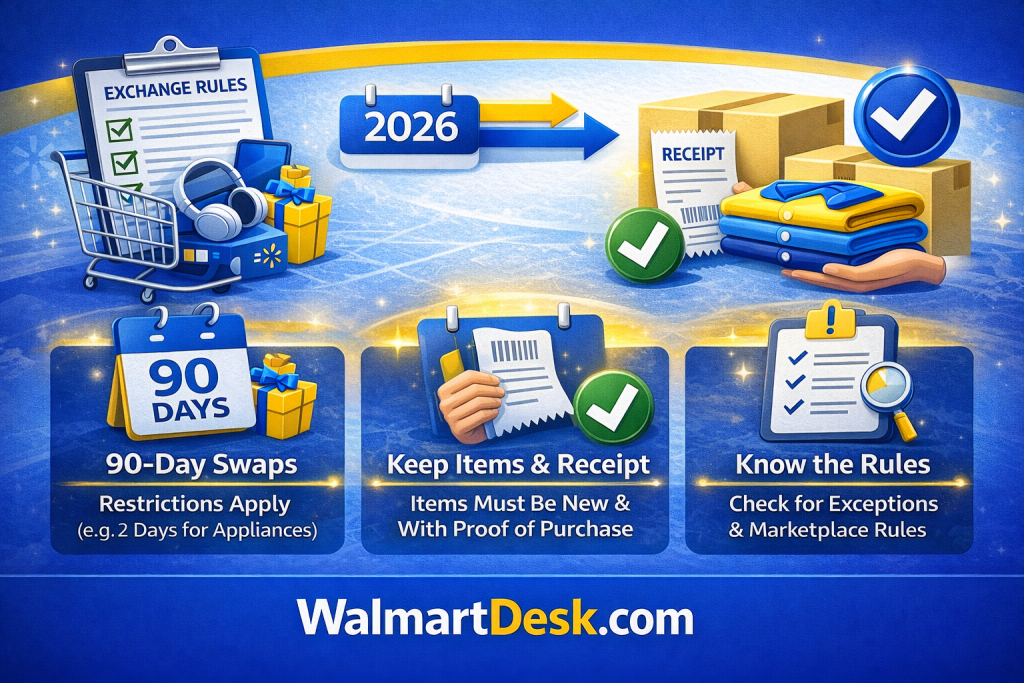
- Walmart’s exchange policy allows swaps for most items within 90 days of purchase, with exceptions like 2 days for major appliances.
- Bring a receipt and keep products in new condition for smooth in-store or online swaps.
- Marketplace items follow the seller’s window, not Walmart’s 90 days, so check who you bought from.
What Counts as an Exchange at Walmart
An exchange means trading a purchased item for another one, like switching a shirt for a larger size.
Walmart handles exchanges under its broader return rules, so the same windows and conditions apply. In practice, if you just need a different size or color, the service desk swaps it on the spot when the item is in stock.
For most products you can pick an exchange instead of a refund. A few items, like opened electronics or certain medical equipment, can only be exchanged, not refunded to your card.
Walmart Exchange Time Limits
Most items qualify for exchange within 90 days from buy or delivery.
The 90-day window covers clothing, toys, and household goods. Some categories run shorter, and a few run much longer. Here is how the windows break down as of 2026.
| Item Category | Exchange Window |
|---|---|
| Most items (clothing, toys, home goods) | 90 days |
| Consumer electronics | 30 days |
| Wireless phones | 14 days |
| Major appliances (online) | 2 days |
| Prescription glasses, contacts, hearing aids | 60 days |
| Perennials, trees, shrubs | 365 days |
| Marketplace items | 30 days (seller set) |
| Marketplace collectibles and luxury | 14 days |
| Holiday purchases (Oct 1 to Dec 31) | Until Jan 31 |
Holiday buys made from October 1 to December 31 can be exchanged through January 31 of the next year, which gives gift recipients extra room. Electronics get the biggest benefit here, since their short window effectively pauses over the season. A handful of short-window items, like phones, are the main exception, so check the product details.
Electronics move fast, and the Walmart electronics return policy has a few traps worth reading before you count on a swap.
Items You Can and Cannot Exchange
Eligible Items
Eligible products cover a wide range, from apparel to tools, as long as they meet condition rules. Fresh produce and perishable foods get refunds but not mail exchanges.
Ineligible Items
Some items are ineligible for exchanges entirely. This includes firearms, ammunition, prescription drugs, gift cards, and used tires.
Marketplace collectibles and luxury items usually carry a 14-day window and go back to the seller, not a Walmart store. Always check the item’s return details on the product page, since third-party sellers set their own rules.
Requirements to Make an Exchange
✦ Bring your receipt or order number to make the process faster.
✦ Items must stay in new condition, with original packaging and tags intact.
✦ Erase data from devices like phones or laptops before handing them over.
I’d bring the receipt even when Walmart can look up the order, because a receipted swap is faster and any price difference goes back to your card instead of store credit.
With a no-receipt return, you can show a government-issued ID for a store lookup, but you will likely get store credit instead of a refund to your original payment method. Walmart also tracks receipt-free returns by ID, so there is a limit before the system starts declining them.
Gas-powered tools must have their fluids drained before returning. For health and beauty products, the seal usually needs to be unopened.
How to Exchange an Item at Walmart In Store
Exchanging in store is quick. Here are the steps to get it done.
Process
- Head to any Walmart store’s customer service desk with your item and proof of buy.
- Staff scans the barcode and checks eligibility.
- If approved, pick a replacement from the shelves or get store credit for the value.
- No fees apply for standard exchanges.
- For large items like furniture, call ahead to confirm stock.
- Managers hold final say on acceptance for safety reasons
How to Exchange a Walmart Online Order
Process
➤ For web or app buys, start the process on Walmart.com or the app under your account.
➤ Select exchange, print a label if mailing, or choose curbside drop-off.
➤ Free shipping covers most cases, with FedEx options for heavy goods.
➤ Marketplace items go back to the seller, who validates within two days.
➤ Refunds hit your original method in up to 10 business days if no exact swap works
If Walmart cannot swap for the exact item, it issues a refund instead. For a full breakdown of how long a Walmart refund takes to reach each payment type, we cover that separately.
Walmart Marketplace Exchange Rules
Items sold by third-party Marketplace sellers do not follow Walmart’s 90-day policy. Most carry a 30-day window set by the seller, and many cannot be swapped at a store at all.
The label on the product page tells you who fulfills the order. “Sold and shipped by Walmart” means Walmart’s own rules apply. Anything sold by another seller means their return window, their shipping process, and often a mail-back only.
I’d check who is actually selling before buying anything you might swap. A 30-day Marketplace clock is easy to miss when you assume you have the usual three months. You can see Walmart’s full exceptions on Walmart’s official returns page.
Exchange or Warranty Claim
Before you start an exchange, check whether the item is still under a warranty or protection plan. A warranty claim and an exchange are two different routes, and one may serve you better.
Say you bought a laptop and the screen failed after four months. You are past the 30-day exchange window.
But if you bought a Walmart protection plan through Allstate, that same screen failure could still be covered for repair or replacement at no extra cost. No exchange needed.
If your item is within the exchange window and you just want a different size or color, a warranty claim is the wrong route. For what the plans cover, what they exclude, and how to file, see our Walmart Warranty Guide.
Walmart Exchange vs Return
An exchange replaces the item. A return refunds your money.
Some products block refunds but still allow a swap, like a defective battery within its guarantee period. Both share the same time frames and condition rules.
Choosing an exchange can also help you skip a restocking fee on certain Marketplace items. One caveat worth knowing: WIC purchases are usually limited to swapping the exact same item, not a different product.
Pros and Cons of the Exchange Policy
Benefits
- You get to exchange the item without losing out on the product you need
- The 90 day window gives you enough time to change your mind
- No extra costs make the process shopper-friendly
Limits
- Tech items have shorter return windows
- Frequent exchanges can flag your account
- Final sale items, like tobacco, cannot be exchanged at all
The Fastest Way to Exchange at Walmart
Bring the receipt, keep the item in new condition, and go straight to the service desk. I’ve swapped an unopened blender for a different model in under five minutes that way, no questions asked.
Skip Sunday around 5pm if you can, since that is the worst hour of the week for the service desk line. And check the item’s return details on Walmart’s standard return policy before you drive over, especially for electronics or anything sold by a Marketplace seller.