

Walmart Customers FAQs Detailed Guide [Updated 2026]
This guide delivers clear answers to frequent questions from Walmart customers.
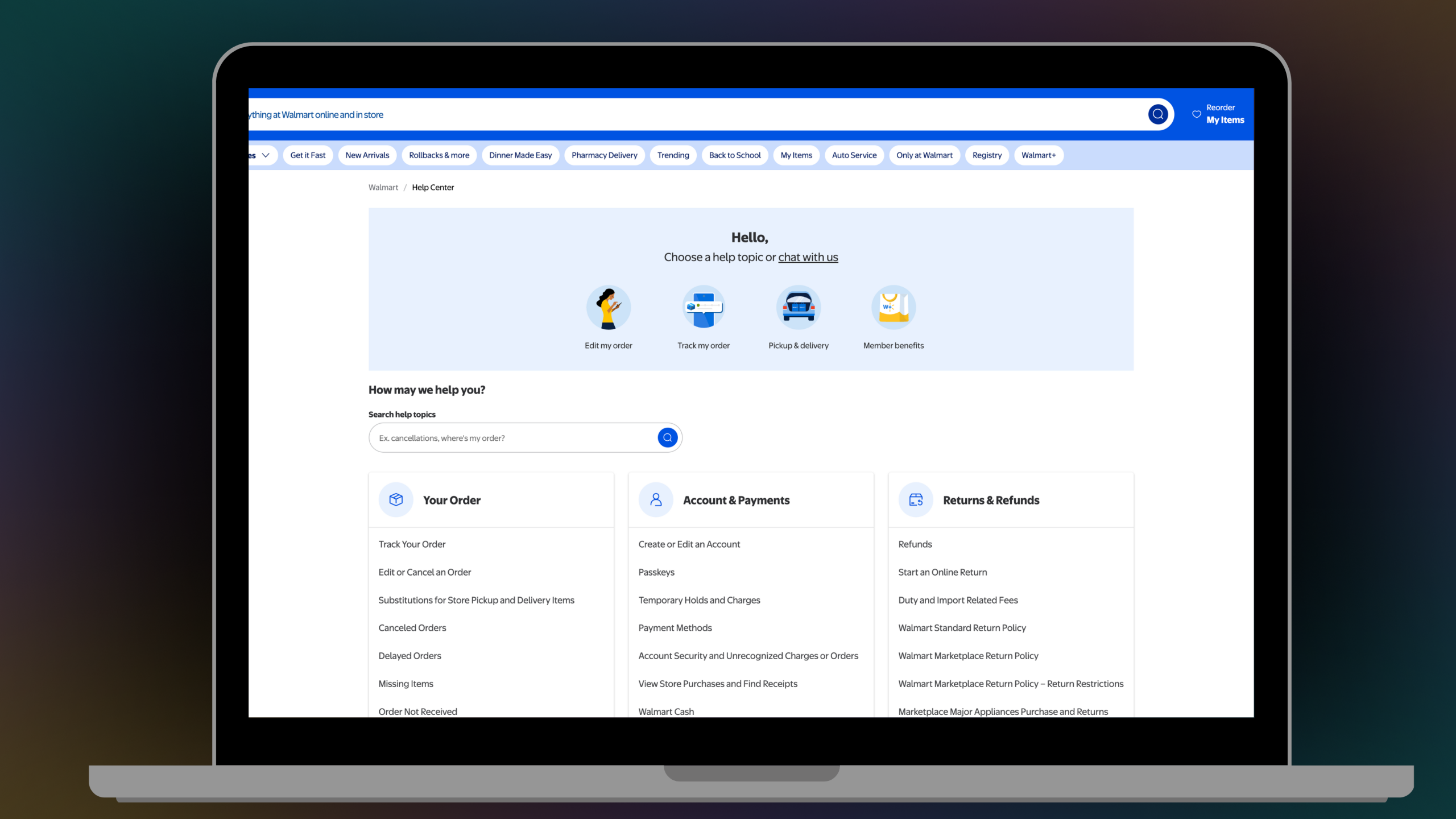
It breaks down key areas like account setup, order tracking, returns, payments, and memberships to make your shopping experience straightforward. The information here helps resolve common issues quickly.
If you need to reach Walmart directly, by phone, chat, or in-store, check this Walmart Customer Support Details post to get every contact method along with hours and what each channel handles best.
Key Takeaways
- The Walmart customers FAQs detailed guide covers essential topics like account management, order tracking, returns, payments, and Walmart+ benefits.
- It draws from official sources to provide accurate, step-by-step answers for common issues.

Account and Sign-In Basics
This section covers the most common questions shoppers have about creating an account, signing in, and keeping their information secure.
Walmart accounts let you shop online, track orders, and access perks.
- To create one, go to Walmart.com and select the sign-up option.
- Enter your email, set a password, and add personal info like your name and address.
- You can edit these details later through your account settings page.
Do you know
If you forget your password, use the reset link on the sign-in page. Walmart sends a recovery email or text for verification. For extra security, enable passkeys, which use biometrics like fingerprints for login without typing passwords. This feature works on compatible devices.
Account security
Account security matters a lot. If you spot unrecognized charges, report them right away via your order history. Change your password and review recent activity.
Walmart offers tools to monitor logins and flag suspicious behavior.
Account settings
You can switch your account’s country or region in the settings menu. This adjusts pricing, shipping options, and available products.
For text alerts on orders, make sure your phone number is verified in your profile. If messages fail, check spam filters or carrier settings.
Orders and Delivery Options
Shopping at Walmart online gives you a lot of flexibility when it comes to how and when you get your order. Here is everything you need to know about placing orders, tracking them, and choosing the right delivery option for you.
Tracking Your Order
Tracking your order is pretty simple.
- Just log in to your Walmart account, go to your order history, and click on the tracking number to see the latest updates.
- Most shipments will also include carrier details like UPS or FedEx so you know exactly who has your package.
- If the tracking page has not updated in a while, give it a few hours as it sometimes takes time for the carrier to scan and log the package at each stop.
Editing or Canceling an Order
If you need to make changes to your order, act fast before it starts processing.
➤ Go to your account, find the order, and select modify if the option is available.
Not all orders can be edited once they are confirmed, so the sooner you act the better.
Cancellations are refunded automatically, but keep in mind that some items like groceries have a very short cancellation window since they are prepared quickly after the order is placed.
Substitutions
Substitutions happen when an item you ordered runs low or goes out of stock at your local store.
In that case, Walmart picks a similar product and notes it in your order, so you are not left empty handed. When you arrive for pickup, you can choose to accept or reject the substituted item.
If you reject it, you will not be charged for that item. It is always a good idea to check your order summary before heading to the store so there are no surprises.
Delays
Delays can happen for a number of reasons including high demand, bad weather, or issues on the carrier’s end.
Most of the time the package still arrives within a day or two of the expected date. You can check your order status online anytime to see where things stand.
If it has been over a week with no update and the tracking has not moved, it is best to reach out to Walmart support so they can look into it for you.
Missing Items
If something is missing from your delivery, do not wait too long to report it. You have a 48-hour window from the time of delivery to flag the issue and request a refund or replacement.
Check your order summary first to confirm the item was not shipped separately, as some orders arrive in multiple packages.
If it is confirmed missing, contact Walmart support through your account and they will take care of it.
Order Cancellations by Walmart
Sometimes Walmart may cancel your order due to stock issues, payment problems, or fraud checks.
If this happens, you will receive an email explaining the reason along with refund information.
Refunds are usually processed back to your original payment method within a few business days. If you still need the item, you can try placing the order again or look for an alternative.
Order Never Arrived
If your order never shows up even though it is marked as delivered, start by double checking the shipping address on your account to make sure everything was correct. Sometimes packages are left in unexpected spots like a side door or with a neighbor.
If you still cannot find it, use the Walmart help form to file a claim. Walmart will then investigate the issue with the carrier on your behalf and work toward getting you a refund or a replacement.
Reordering
Reordering something you have bought before is very easy at Walmart.
➤ Just go to your order history, find the item you want again, and add it to your cart with one click.
This is especially handy for everyday essentials that you buy on a regular basis. It saves you the time of searching for the product all over again and makes the whole shopping experience much quicker.
Collect in-store, often same-day. Delivery brings items home, with fees from order size and location. Exceptions include oversized items or rural areas, where options vary.
Returns and Refunds Process
Refunds issue after Walmart receives returned items. You can expect money back to your original payment method in 3-10 business days.
Start online returns in your account.
- Select the item.
- Print a label if needed, and drop off at a store or ship back.
- No receipt required for tracked purchases.
Walmart’s standard policy allows 90 days for most returns, with or without receipt. Electronics and luxury items have shorter periods, like 30 days.
Marketplace items from third-party sellers follow their own policies, often 30 days. Check seller details before buying. Restrictions apply to opened software, hazardous materials, or personalized goods.
For specific products like Allswell mattresses, a 10-year warranty covers defects. Contact support with proof of buy for claims.
Payments and Gift Cards
Walmart gives you plenty of payment options whether you are shopping in store or online. Here is a breakdown of everything you need to know about payments, financing, and rewards.
Accepted Payment Methods
Walmart accepts credit cards, debit cards, PayPal, Affirm financing, and gift cards for online orders.
If you are shopping in store, you can also pay with cash or a personal check. Having multiple options makes it easy to pay in whatever way works best for you.
For sending money or paying bills, money orders cost as little as $0.70

Temporary Holds
When you place an order, Walmart puts a temporary hold on your account to secure the funds during checkout. This hold is released once your order ships.
It is important to keep this in mind if you are placing a large order, as the hold can affect your available balance and potentially cause overdrafts if your account is running low.
CareCredit
CareCredit is an option for health related purchases like prescriptions and other eligible items.
You can apply for CareCredit online and once approved, use it at checkout for qualifying purchases. It is a helpful option if you need to manage the cost of health expenses over time.
Walmart Cash
Walmart Cash is a rewards program that lets you earn credit on qualifying purchases. The rewards work like store credit and can be redeemed on future orders.
You can keep track of your Walmart Cash balance directly in the Walmart app, so you always know what you have available.
SNAP EBT
Walmart accepts SNAP EBT cards for grocery purchases both online and in store.
When shopping online, simply enter your EBT card at checkout to apply it to eligible items. Keep in mind that delivery fees are charged separately and cannot be covered by your EBT card.
International Orders and Duties
If you are shipping an order to the US from outside the country, additional duties and taxes may apply.
Walmart gives you an estimate of these charges at the time of purchase, but the final amounts are set by customs and may vary. It is a good idea to factor this in before placing your order to avoid any unexpected costs.
Walmart+ Membership Details
Walmart+ comes with a range of perks that make regular Walmart shopping more convenient and cost effective. Here is everything you need to know about the membership.
Pricing
Walmart+ costs $98 a year or $12.95 a month. You can choose whichever plan works best for your budget.
Managing Your Plan
You can manage your membership directly in your account settings. Update your payment method, pause, or cancel anytime. If you cancel, refunds are prorated based on unused time.
Billing
Billing happens on the date you signed up. You can change your card or switch between plans through the membership portal.
Shipping and Delivery Perks
Members get free delivery on orders over $35 and free shipping with no minimum order. Most items also have delivery fees waived, including groceries.
Paramount+ Streaming
Walmart+ includes access to Paramount+ at no extra cost. Just log in through the Walmart app to start watching.
Fuel Discounts
Members save up to 10 cents per gallon at Exxon, Mobil, and Walmart fuel stations. Simply scan your app at the pump to apply the discount.
Home Returns
Walmart+ members can schedule return pickups straight from home without having to box the items themselves. This feature is available in select areas.
Store Services Overview
Walmart stores offer a wide range of services beyond just shopping. Here is a quick look at what you can find in store.
Pharmacy
Walmart pharmacies fill prescriptions both online and in person. You can easily transfer your prescriptions through the app and manage family accounts by linking profiles all in one place.
Finding a Location
Use Walmart’s store finder tool to locate the nearest store. Just enter your zip code to see store hours and available services.

Vaccinations
Vaccinations can be booked online, though walk-ins are available at some stores. Make sure to bring your ID and insurance card when you go.
Vision Center
Walmart vision centers offer eye exams and a wide selection of glasses. You can browse frames online before your visit and insurance benefits can be applied at checkout.
Other Services
Many Walmart stores also offer money transfers, check cashing, and tire installation. Availability can vary by location so it is a good idea to check with your local store beforehand.
Additional Customer Concerns
Here are some extra things that are good to know when shopping at Walmart.
Benefit Cards
Benefit cards like WIC cover specific food items. You can shop online using your card details, though some states require pickup instead of delivery.
OTC Cards
Over the counter cards from health plans can be used to buy eligible items at Walmart. Simply scan the barcode at checkout to apply your card.
Protection Plans
Walmart offers protection plans that extend warranties on electronics. You can add one at the time of purchase and any claims are handled through Allstate.
Drone Delivery
Walmart is currently testing drone delivery in select cities. Eligible orders can arrive in as little as 30 minutes via air. Availability is limited for now but expanding over time.
Marketplace Sellers
Marketplace sellers on Walmart’s platform are rated by other buyers, so you can shop with more confidence. Look for labels like “New” or “Refurbished” on items to know exactly what you are getting.
Gift Registries
Walmart makes it easy to create a gift registry for events like weddings or baby showers. You can set it up online, share the link with guests, and track which items have already been purchased.
Final Thoughts
In short, this Walmart customers FAQs detailed guide equips you with essential knowledge for smoother shopping. Refer back as needed and visit Walmart’s site for updates.


