Check Walmart Gift Card Balance Online, In Store or by Phone
Checking your Walmart gift card balance takes less than a minute, and there are three free ways to do it. You can check online, in-store, or by phone, and all of them show your balance right away with no fees.
The method that works best depends on your card type. Standard Walmart gift cards, Walmart Visa gift cards, and eGift cards each work a little differently.
Key Highlights
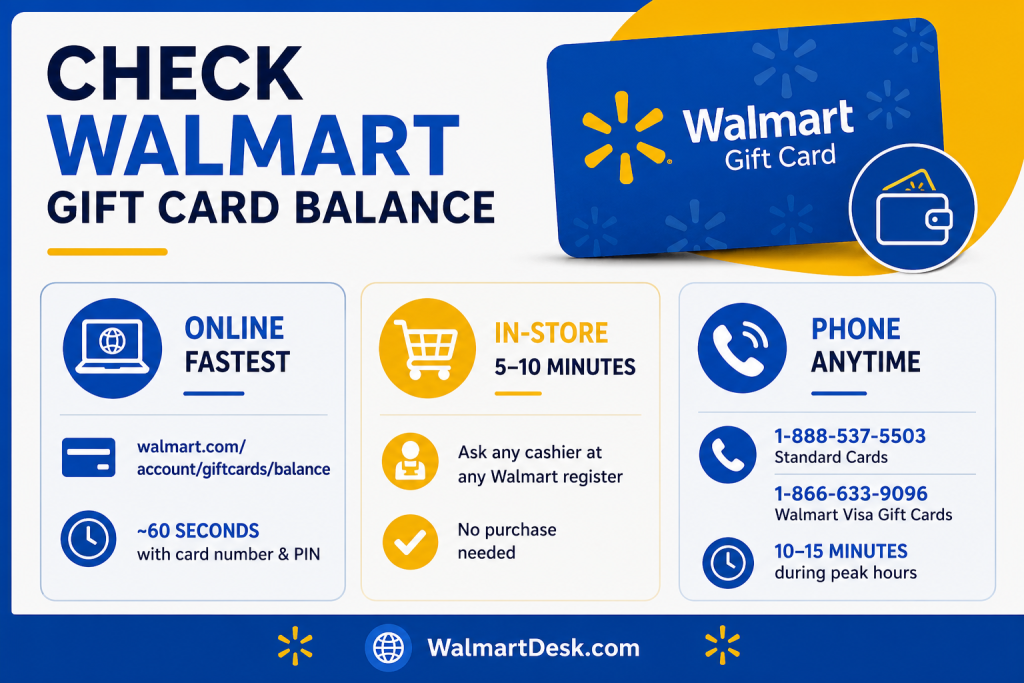
- Check your balance online at walmart.com/account/giftcards/balance in about 60 seconds using just your card number and PIN
- In-store takes 5-10 minutes. Hand your card to any cashier at any register, no purchase needed, and ask for a balance check
- Call 1-888-537-5503 for standard cards or 1-866-633-9096 for Walmart Visa gift cards, expect 10-15 minutes during peak hours
Check Balance Online
The online method is the fastest and safest way to check your balance.
Go walmart.com/account/giftcards/balance and you’ll have your answer in under a minute.
✦ For standard Walmart gift cards, you’ll need your 16-digit card number and 4-digit PIN.
✦ For Walmart Visa gift cards, enter the card number, 3-digit security code, and expiration date instead.
Your balance shows up right after you submit the info. No waiting, no phone calls, no trip to the store.
eGift Cards Without PIN Access
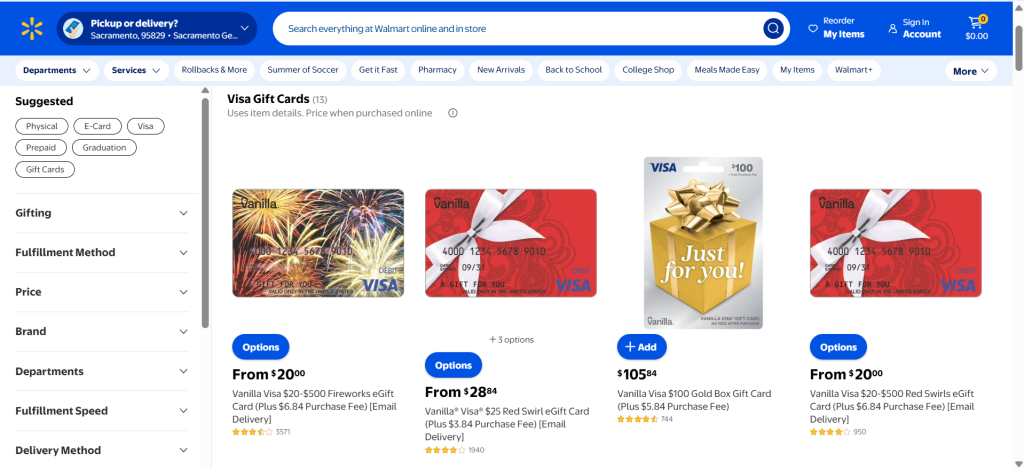
eGift cards can be tricky. If your confirmation email didn’t include a PIN, you can’t check your balance online until you activate the card in person.
You have two options.
- Visit any Walmart register and ask to exchange your eGift card for a physical card with a visible PIN, this takes 5-10 minutes and no purchase is needed.
- Or call 1-888-537-5503 and ask for the PIN over the phone before heading to the store, this usually takes 10-15 minutes.
Once you have the PIN, you can check your balance online anytime.
Check Balance at Any Walmart Register
✦ Walk into any Walmart store, bring your physical gift card, and hand it to a cashier.
✦ Ask them to check your balance.
✦ They’ll scan or key in the card number and show your balance on the register screen or print it on a receipt.
This takes 1-2 minutes and costs nothing. You don’t need to buy anything, show ID, or do anything else.
Note
This method is especially useful for eGift cards without a PIN, since it’s the only way to activate and check your balance in one trip.
Walmart stores are open during their regular hours, which vary by location. Check your local store’s hours online before you go.
Check Balance by Phone Call
Call 1-888-537-5503 for standard Walmart gift cards or 1-866-633-9096 for Walmart Visa gift cards. You’ll need your card number and PIN (or security code and expiration date for Visa cards).
Wait times usually run 5-15 minutes during busy hours, faster during off-peak times.
This method works well if you’re traveling, don’t have internet access, or want to report a lost or stolen card at the same time.
If you’re sharing your card info out loud, it is less secure than checking online. Avoid using public phones for this.
Card Type Information
Let me tell you what you’ll need on hand, and where to find it, based on your card type.
| Card Type | Information Required | Where to Find It |
|---|---|---|
| Standard Gift Card | 16-digit number + 4-digit PIN | Back of card, PIN under scratch-off |
| Walmart Visa Gift Card | Card number + security code + expiration | Front and back, must be registered |
| eGift Card | 16-digit number + PIN (if available) | Confirmation email, or visit store/call if no PIN |
Note
Registering your Walmart Visa gift card matters. Register it at walmartgift.com to unlock transaction history, lost or stolen card reporting, and the ability to block recurring payments.
Standard physical cards don’t need any activation. eGift cards may need in-store activation if no PIN was provided in your confirmation email.

Troubleshoot When Balance Check Fails
Most balance check problems come down to a few common issues, let me help you fix them.
Card number not found
Recount all 16 digits carefully. A single typo blocks the check. Look for faint printing on worn cards.
PIN doesn’t work
Make sure you’re reading the right 4-digit code under the silver scratch-off. Some cards have faint printing. If it’s unreadable, call 1-888-537-5503 for help.
eGift card rejected
The PIN probably wasn’t in your confirmation email. Visit a Walmart store to exchange it for a physical card, or call support to request the PIN.
Visa card rejected
Register your card at walmartgift.com before checking online or by phone. In-store checks don’t need registration.
Card expired
Standard cards have no expiration date. For Visa gift cards, check the card itself if you’re unsure.
Lost or stolen
Call 1-888-537-5503 right away. Balance checking is part of the card recovery process.
Lost or Stolen Gift Card
Walmart’s official policy is blunt here; lost or stolen gift cards are not replaced.
According to Walmart’s own terms and conditions, the company has no liability for a card that’s lost or stolen, and any balance spent by someone else isn’t refunded.
If you register your card to your Walmart account, you can at least track the balance and see if it’s been used, but that alone doesn’t guarantee you’ll get your money back.
eGift Card Stolen or Lost
eGift cards work a bit differently. If your eGift card is registered online and you have proof of purchase, Walmart’s eGift card terms (through CashStar) allow for replacement of the remaining balance. This option doesn’t exist for most physical cards without a receipt.
Recovery for Lost and Stolen Gift Card
Your best shot at recovery is calling Walmart Customer Service at 1-800-925-6278 right away. Having the original receipt dramatically improves your odds, since it lets a representative verify the card and check if the balance has already been spent. Without a receipt or the card number, there’s often nothing Walmart can trace.
Reliable Prevention
Since there’s no formal fraud protection built into gift cards the way there is with a credit card, the most reliable prevention is registering any card to your Walmart account the moment you get it and keeping a photo of the card and receipt somewhere safe.
Which Method Is Fastest for You
✦ Online wins on speed. You get your balance in 60 seconds from any device with internet. It’s also the most secure, since your card data stays between you and Walmart’s system.
✦ In-store is your only option if you have an eGift card without a PIN. It also works well if you’re already at the store and want to confirm funds before checkout. No internet needed.
✦ Phone is best when you’re traveling, don’t have internet, or need to report a lost card. Wait times are longer and it’s less secure, but it’s still a solid backup option.
All three methods show your current balance instantly. There’s no delay between them.
What Walmart Gift Cards Cannot Do
Walmart gift cards don’t work for recurring payments.
You can’t use them for gym memberships, streaming subscriptions, or any automatic billing. Checking your balance won’t change this.
If you need a card for recurring payments, Walmart offers the MoneyCard as an alternative. It works like a prepaid debit card and supports automatic billing.
This is why checking your balance matters. You need to confirm you have enough funds before making a purchase, especially if you’re not sure a retailer accepts gift cards.